ABETTERHELLO

Windows setup had never tried to learn anything about the user. The brief was to change that — an interactive experience during install that matches new users to features based on how they actually use a computer. I was brought in to define what it should be.

Client

Microsoft

Role

Senior Art Director

Year

2025

Scope

UX Design, Art Direction, Interaction Design

Windows setup out-of-box quiz Prototype
The Problem

Windows ships to everyone. A teenager setting up their first laptop. A retiree who just wants their email to work. The quiz had to work for both, requiring no guidance and no friction.

That was the brief I gave myself: build something genuinely engaging that a global, novice-inclusive audience could understand at a glance, that felt like a natural part of the Windows experience. The tone had to match the context. Warm and approachable, with nothing loud competing for attention.

actual requirement notes from business

constraints

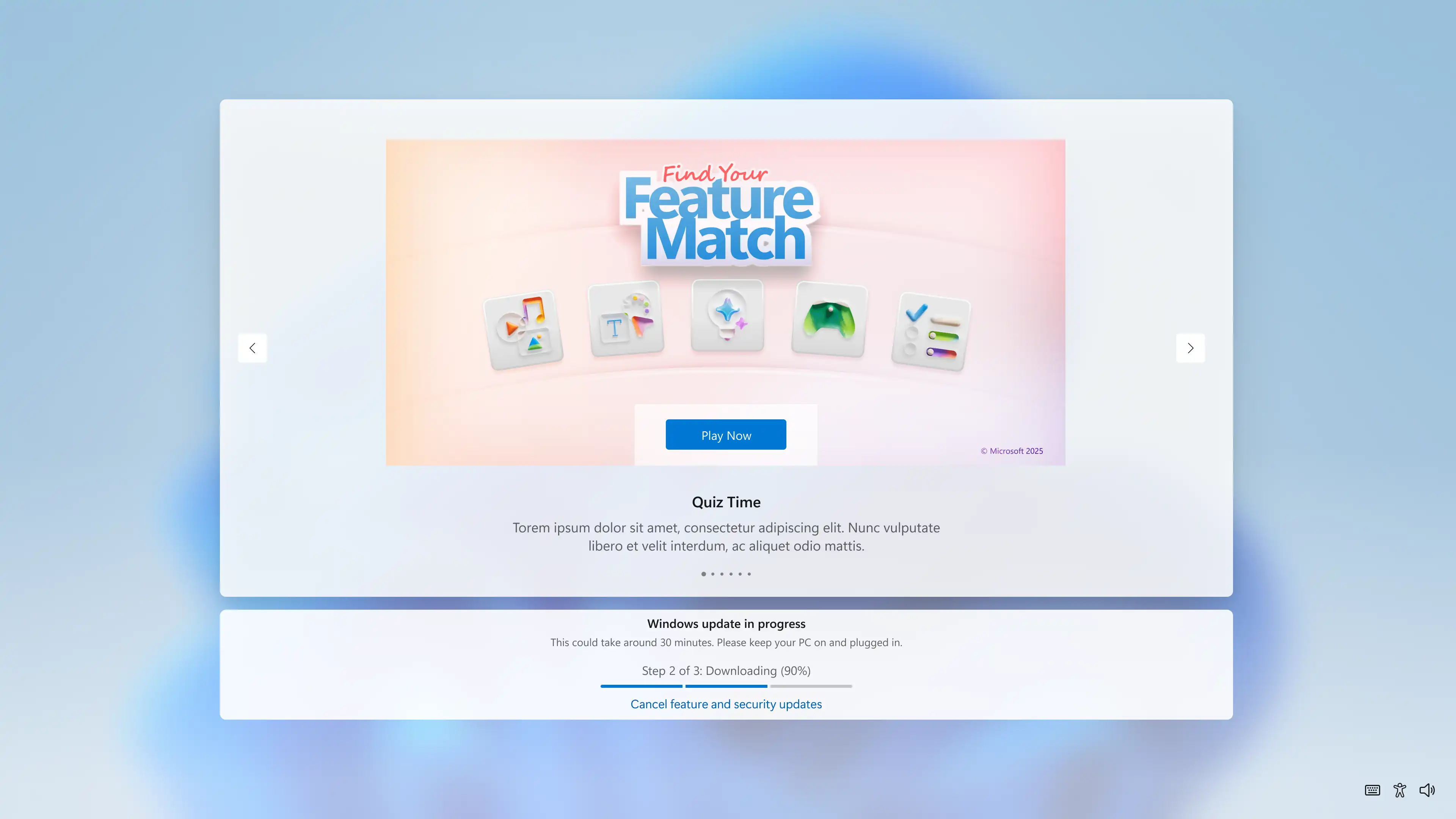
The quiz would live inside the OOBE (Out-of-Box Experience) as an iFrame at 1000×600 pixels, built on Azure using the Microsoft Fluent Web component library with no custom development. An aside running alongside a slideshow of other content.

It also had to surface legal disclosures in a space with no traditional footer.

The parameters were fixed. Everything interesting happened inside them.

The experience

Six questions mapping a user's behavior and preferences to a Windows persona: Gamer, Creator, AI Enthusiast, Multi-tasker, and others. A personalized feature carousel at the end. The concept was clear. What it needed was discipline.

The guiding principle across both design rounds was subtraction: take it down to the minimum amount of design necessary for the experience to work. Every round of refinement was about removing what didn't earn its place.
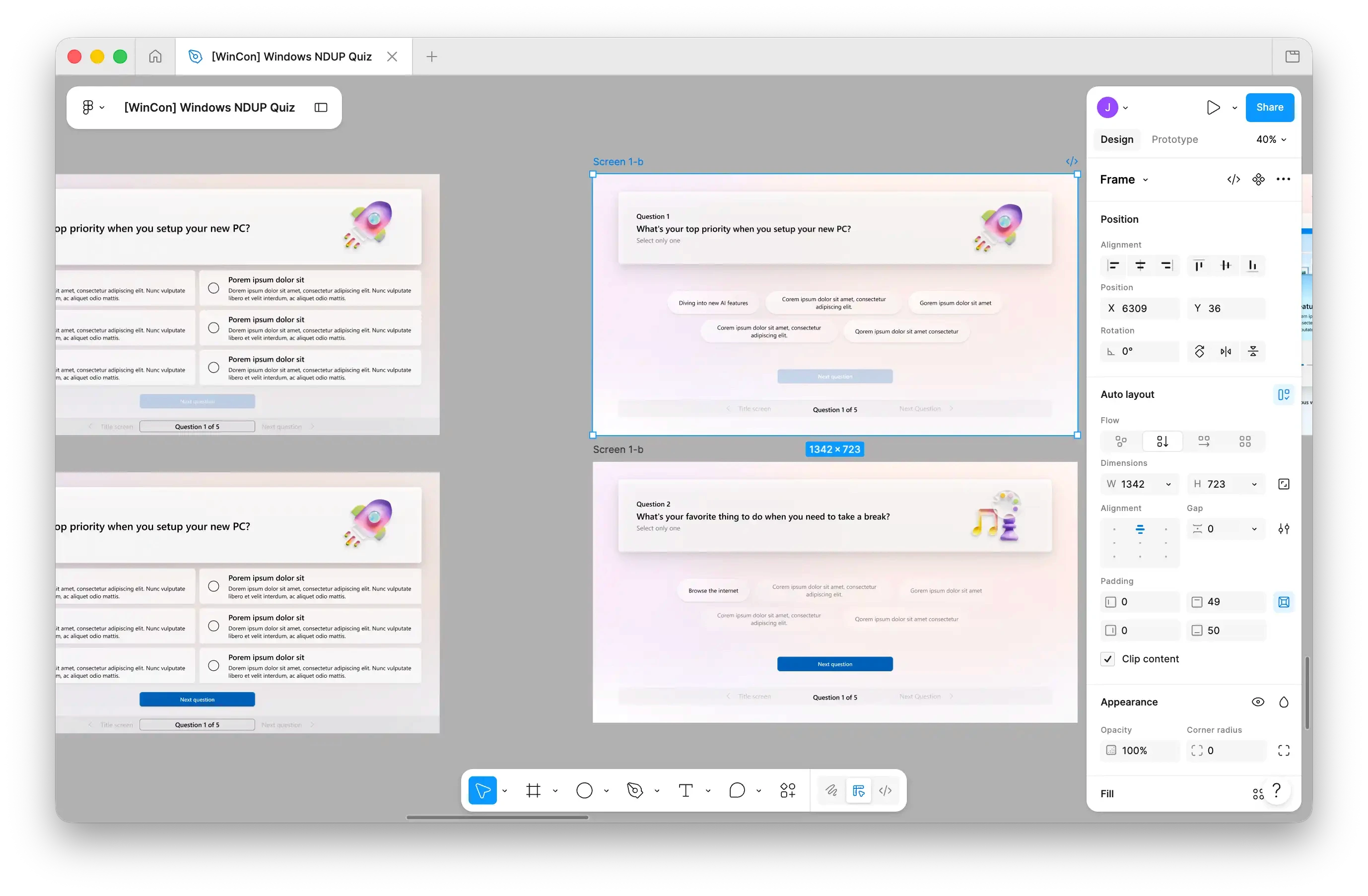
The call that defined the design. The first round brought answers in as floating bubbles, playful and visually distinctive. As a design idea, it held up. As an experience for someone setting up a PC for the first time, possibly in a second language, it asked too much. Scanning irregular shapes for the answer that fits you is cognitive work. A quiz going to everyone can't afford that.

The card grid that replaced the bubbles is a more precise choice. The type is larger and higher contrast. The layout orients you before you've consciously registered it. The decision was about precision.

The same logic removed the progress indicator from the bottom of the screen. The question card already showed "Question 1 of 6." A second indicator was noise. Removing it made the screen cleaner without losing anything the user needed.

Nothing outside the system. Nobody trapped inside it. Illustrations from the Windows design system, components from the MWF library: nothing sits outside Fluent 2. The challenge was making full compliance feel expressive rather than templated. The same instinct shaped the controls: a persistent "Return to slideshow" button in the upper right, "Go back" from question two onward. The quiz never demands your trust. It just makes leaving easy enough that you don't need to.

The results screen closes the loop. A persona (Mega-tasker, Gamer, Creator) and a carousel of features matched to your answers. By the time setup finishes, Windows already knows something about who you are. And it's ready to show you where to start.

Color as visual rhythm. Each question shifts the background to a distinct palette drawn from Fluent 2: soft blue, warm peach, sage green, cool purple, pale yellow. The shifts give each question its own moment without adding any new elements. They make a six-question flow feel lighter than it is.

The interaction that explains itself. Between question five and six, the selection behavior changes. No copy announces it. The UI carries it. A small thing most users won't consciously register, which means it worked.

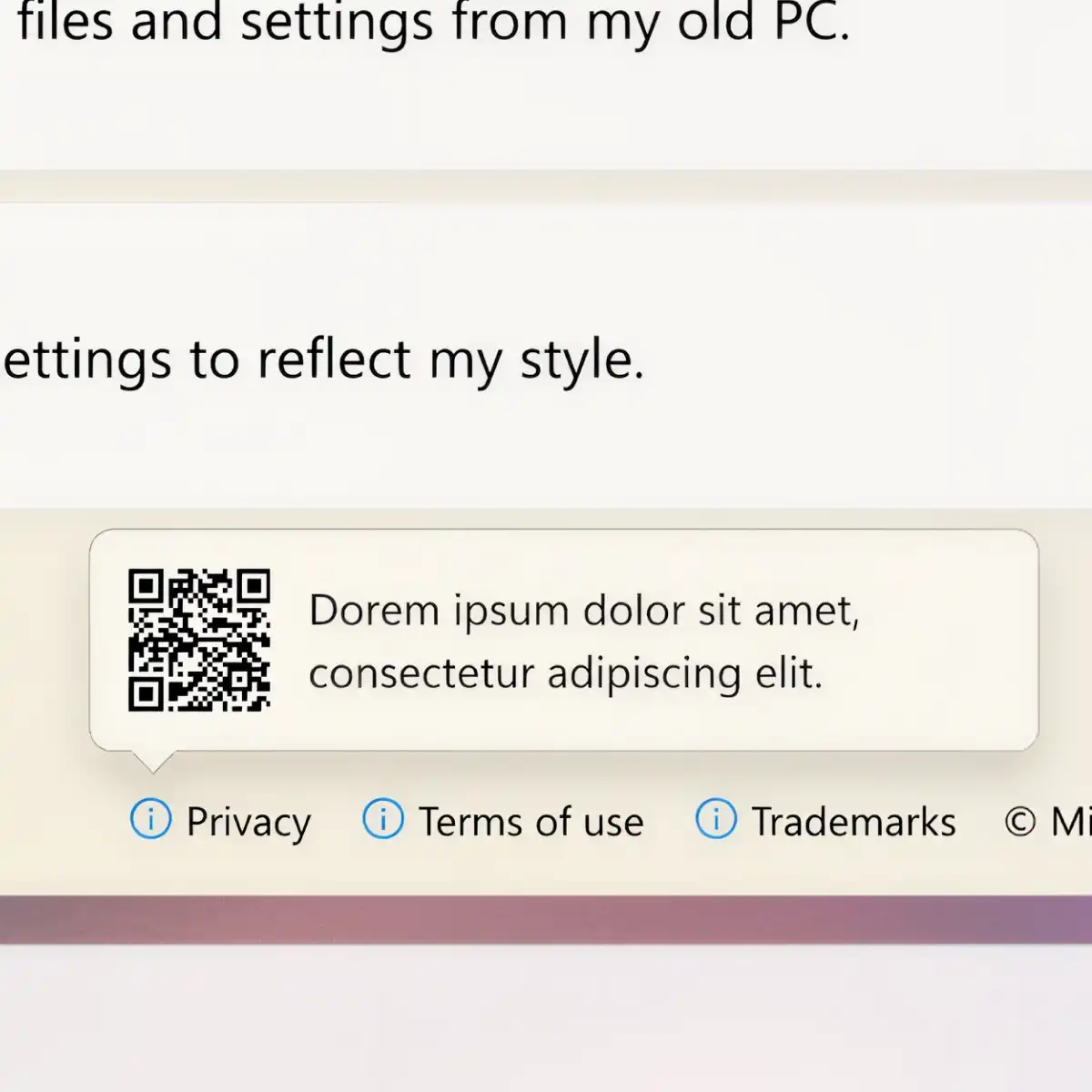
The legal solve. No footer space, but legal disclosures still needed to be accessible. A popover triggered from an icon in the corner. Inside: a QR code, so a desktop user could scan it on their phone without navigating away mid-setup. Compliant and genuinely useful in a way a buried link wouldn't be.

The call that defined the design. The first round brought answers in as floating bubbles, playful and visually distinctive. As a design idea, it held up. As an experience for someone setting up a PC for the first time, possibly in a second language, it asked too much. Scanning irregular shapes for the answer that fits you is cognitive work. A quiz going to everyone can't afford that.

The card grid that replaced the bubbles is a more precise choice. The type is larger and higher contrast. The layout orients you before you've consciously registered it. The decision was about precision.

The same logic removed the progress indicator from the bottom of the screen. The question card already showed "Question 1 of 6." A second indicator was noise. Removing it made the screen cleaner without losing anything the user needed.

Color as visual rhythm. Each question shifts the background to a distinct palette drawn from Fluent 2: soft blue, warm peach, sage green, cool purple, pale yellow. The shifts give each question its own moment without adding any new elements. They make a six-question flow feel lighter than it is.

Nothing outside the system. Nobody trapped inside it. Illustrations from the Windows design system, components from the MWF library: nothing sits outside Fluent 2. The challenge was making full compliance feel expressive rather than templated. The same instinct shaped the controls: a persistent "Return to slideshow" button in the upper right, "Go back" from question two onward. The quiz never demands your trust. It just makes leaving easy enough that you don't need to.

The interaction that explains itself. Between question five and six, the selection behavior changes. No copy announces it. The UI carries it. A small thing most users won't consciously register, which means it worked.

The results screen closes the loop. A persona (Mega-tasker, Gamer, Creator) and a carousel of features matched to your answers. By the time setup finishes, Windows already knows something about who you are. And it's ready to show you where to start.

The legal solve. No footer space, but legal disclosures still needed to be accessible. A popover triggered from an icon in the corner. Inside: a QR code, so a desktop user could scan it on their phone without navigating away mid-setup. Compliant and genuinely useful in a way a buried link wouldn't be.

The call that defined the design. The first round brought answers in as floating bubbles, playful and visually distinctive. As a design idea, it held up. As an experience for someone setting up a PC for the first time, possibly in a second language, it asked too much. Scanning irregular shapes for the answer that fits you is cognitive work. A quiz going to everyone can't afford that.

The card grid that replaced the bubbles is a more precise choice. The type is larger and higher contrast. The layout orients you before you've consciously registered it. The decision was about precision.

The same logic removed the progress indicator from the bottom of the screen. The question card already showed "Question 1 of 6." A second indicator was noise. Removing it made the screen cleaner without losing anything the user needed.

Nothing outside the system. Nobody trapped inside it. Illustrations from the Windows design system, components from the MWF library: nothing sits outside Fluent 2. The challenge was making full compliance feel expressive rather than templated. The same instinct shaped the controls: a persistent "Return to slideshow" button in the upper right, "Go back" from question two onward. The quiz never demands your trust. It just makes leaving easy enough that you don't need to.

The results screen closes the loop. A persona (Mega-tasker, Gamer, Creator) and a carousel of features matched to your answers. By the time setup finishes, Windows already knows something about who you are. And it's ready to show you where to start.

Color as visual rhythm. Each question shifts the background to a distinct palette drawn from Fluent 2: soft blue, warm peach, sage green, cool purple, pale yellow. The shifts give each question its own moment without adding any new elements. They make a six-question flow feel lighter than it is.

The interaction that explains itself. Between question five and six, the selection behavior changes. No copy announces it. The UI carries it. A small thing most users won't consciously register, which means it worked.

The legal solve. No footer space, but legal disclosures still needed to be accessible. A popover triggered from an icon in the corner. Inside: a QR code, so a desktop user could scan it on their phone without navigating away mid-setup. Compliant and genuinely useful in a way a buried link wouldn't be.

Shipped

The quiz went out as part of a global consumer Windows release, approved by the Windows team. The live experience differs in places from what was delivered. Post-handoff, development made choices without looping back to design. What shipped still holds the core of what was designed: a quiz that treats setup as an introduction and trusts the user to know where they want to go.

Credits

UI, Art Direction, Interaction Design: John Hultman

More case studies

©2026 HU__MAN (John Glenn Hultman). All Rights Reserved. Do not repost without notification and attribution.